Technology
Complete Guide to Mobile Display Technologies 2026
================================================================================
COMPLETE GUIDE TO MOBILE DISPLAY TECHNOLOGIES 2026
================================================================================
The display is the most important part of any smartphone. You interact with it constantly. This guide explains everything about mobile display technologies - LCD vs AMOLED, refresh rates, resolution, HDR, and what to look for when buying a phone.
================================================================================
PART 1: LCD VS AMOLED - WHICH IS BETTER?
================================================================================
LCD (Liquid Crystal Display):
How it works: Backlight shines through liquid crystal layer to create image. Always on (even for black pixels). Uses more power. Thicker than AMOLED.
Advantages of LCD:
No burn-in (permanent image retention). More durable (less likely to crack). Cheaper to manufacture. Good brightness. Good color accuracy (on high quality LCDs).
Disadvantages of LCD:
Black pixels still emit light (not true black). Less vibrant colors than AMOLED. Thicker bezels. Power hungry (backlight always on). Lower contrast ratio (1000:1 to 2000:1).
AMOLED (Active Matrix Organic Light Emitting Diode):
How it works: Each pixel creates its own light. Black pixels are turned off completely (true black). Uses less power for dark content. Thinner, flexible (enables curved and foldable displays).
Advantages of AMOLED:
Perfect blacks (pixels off). Infinite contrast ratio (theoretically). Very vibrant colors (sometimes oversaturated). Power efficient for dark mode. Thinner design enables under-display fingerprint. Enables curved displays and foldables.
Disadvantages of AMOLED:
Burn-in risk (static elements like status bar, keyboard). Expensive to manufacture. More fragile (cracks easier). Color accuracy varies between brands. PWM dimming (some people sensitive, causes eye strain).
Which should you choose?
Choose LCD if: Budget is tight (phones under 15,000 BDT). You keep phone 4+ years (no burn-in worry). You use phone at high brightness most of time. You are sensitive to PWM dimming (eye strain). You need durable display for rough use.
Choose AMOLED if: You want best display quality. You use dark mode (saves battery). You watch movies and videos. You want vibrant colors. Budget allows (phones above 15,000 BDT generally have AMOLED).
================================================================================
PART 2: REFRESH RATE EXPLAINED
================================================================================
What is refresh rate?
Number of times display updates per second (measured in Hz). Higher refresh rate = smoother motion.
60Hz:
60 frames per second. Standard on budget and older phones. Fine for reading, social media, basic use. Noticeable lag when scrolling compared to 90Hz/120Hz. Still used on iPhones (non-Pro) and budget Androids.
90Hz:
90 frames per second. Noticeably smoother than 60Hz. Good for most users. Found on mid-range phones. Smooth scrolling, animations. Good balance of performance and battery life.
120Hz:
120 frames per second. Very smooth. Recommended for 2026. Found on flagship and upper mid-range phones. Excellent for gaming (120fps support). Smoothest scrolling experience.
144Hz:
144 frames per second. Very smooth. Found on gaming phones. Overkill for regular use. Benefits high refresh rate gaming.
165Hz:
165 frames per second. Extremely smooth. Only on gaming phones (Asus ROG, RedMagic). Battery drain noticeable. Few games support 165fps.
Variable refresh rate (LTPO):
Automatically adjusts refresh rate based on content (1Hz to 120Hz). 1Hz for always-on display (saves battery). 10-30Hz for reading still content. 60Hz for video playback. 90-120Hz for scrolling and gaming. Found on premium flagships (iPhone Pro, Samsung Ultra, Google Pixel Pro). Best balance of smoothness and battery life.
Which refresh rate should you choose?
60Hz is acceptable but not recommended for new phones in 2026.
90Hz is good, noticeable upgrade from 60Hz.
120Hz is recommended for most buyers.
144Hz+ is for gamers only.
================================================================================
PART 3: RESOLUTION EXPLAINED
================================================================================
Understanding screen resolutions:
HD+ (720 x 1600 or similar):
Found on budget phones (under 15,000 BDT). Acceptable for 6.5-6.7 inch screens (density ~260-300 ppi). Individual pixels visible if you look closely. Fine for text and basic media. Not recommended for video watching or reading.
FHD+ (1080 x 2400 or similar):
Standard on mid-range and flagship phones. Sharp enough (density ~400 ppi). Pixels not visible to normal eye. Good for video, reading, gaming. Recommended minimum for 2026.
QHD+ (1440 x 3200 or similar):
Found on flagship phones (Samsung Ultra, some Xiaomi flagships). Very sharp (density ~500-550 ppi). Overkill for most users. Uses more battery (phone works harder to render). Benefit visible only on very large screens (6.8+ inches) or for VR.
4K (2160 x 3840 or similar):
Found on Sony phones (and some ultra premium). Overkill for phones. Massive battery drain. No visible benefit on small screen. Not recommended.
Which resolution should you choose?
FHD+ (1080p) is recommended for 99% of users.
HD+ is acceptable only for cheapest phones (under 10,000 BDT).
QHD+ is nice to have but not necessary.
4K is pointless on phones.
================================================================================
PART 4: PPI (Pixels Per Inch) EXPLAINED
================================================================================
PPI measures pixel density. Higher PPI = sharper image.
Minimum acceptable PPI: 300 PPI (text readable, pixels not very visible).
Good PPI: 350-400 PPI (sharp, comfortable for reading).
Excellent PPI: 400-500 PPI (very sharp, pixels invisible).
Overkill PPI: 500+ PPI (no visible benefit on phones).
Calculating PPI for common resolutions:
6.5 inch HD+ (720 x 1600): ~270 PPI (acceptable but not sharp).
6.5 inch FHD+ (1080 x 2400): ~405 PPI (recommended).
6.8 inch QHD+ (1440 x 3200): ~515 PPI (very sharp, overkill).
================================================================================
PART 5: HDR (HIGH DYNAMIC RANGE) EXPLAINED
================================================================================
HDR enables better color and contrast. Darker blacks, brighter whites, more colors.
HDR standards for phones:
HDR10 (basic): Minimum standard. 10-bit color (1.07 billion colors). 1000 nits peak brightness (HDR10). Found on most mid-range and flagship phones.
HDR10+ (advanced): Dynamic metadata (adjusts scene by scene). Better than HDR10. Found on Samsung phones.
Dolby Vision (premium): Dynamic metadata + up to 12-bit color. Best HDR format. Found on iPhones (Dolby Vision recording), some Android flagships.
What you need for HDR:
Phone must support HDR (HDR10, HDR10+, or Dolby Vision). Content must be HDR (Netflix, YouTube, Prime Video, Disney+). Streaming app must support HDR (separate subscription tier often required). Good internet speed (25 Mbps+ for 4K HDR).
Benefits of HDR:
More realistic colors. Better contrast (dark scenes show detail). Brighter highlights (sun, explosions, reflections). Noticeable improvement for movies and high quality video.
Is HDR necessary?
Nice to have but not essential. Most people won't notice difference without side-by-side comparison. Important for videophiles and content creators.
================================================================================
PART 6: BRIGHTNESS (NITS) EXPLAINED
================================================================================
Brightness measured in nits (candelas per square meter). Higher nits = brighter display.
Typical brightness levels:
300-400 nits: Minimum usable indoor. Can't see well outdoors.
500-600 nits: Good indoor, usable outdoors in shade. Struggle in direct sunlight.
800-1000 nits: Very good, usable outdoors. Recommended minimum for outdoor use.
1200-1500 nits: Excellent, clear outdoors even in direct sunlight.
2000+ nits: Flagship level. Very bright. HDR highlights pop.
Why brightness matters:
Outdoor visibility (Dhaka sun is harsh). HDR content (requires 1000+ nits for highlights). Sunlight readability (important for Uber/Pathao drivers, outdoor workers). Comfort (too dim strains eyes, too bright in dark also strains eyes).
Auto-brightness:
Most phones have ambient light sensor. Adjusts brightness automatically based on environment. Works well on most phones. Some phones (Pixel, iPhone) have excellent auto-brightness.
Which brightness should you look for?
Minimum: 500-600 nits for indoor use.
Recommended: 800-1000 nits for outdoor visibility.
Flagship: 1200-1500+ nits for best experience.
================================================================================
PART 7: DISPLAY SHAPES AND NOTCHES
================================================================================
Types of front camera cutouts:
Notch (teardrop or pill shape):
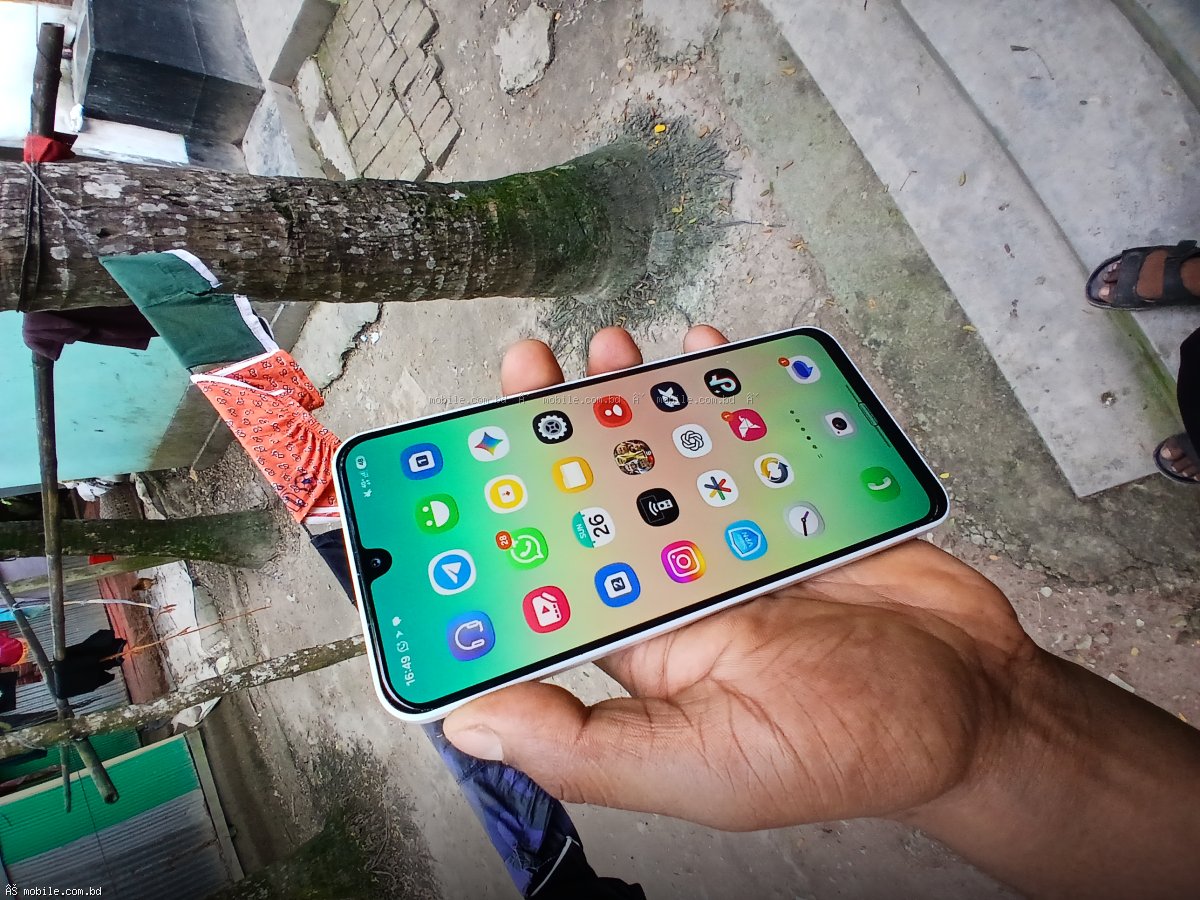
Apple iPhone (Dynamic Island is interactive pill). Older Android phones. Distracting to some users. Takes up screen space. Dynamic Island (Apple) is interactive (shows music, calls, timers).
Punch-hole (hole-punch):
Small circular cutout for camera. Most common on Android phones (Samsung, Xiaomi, OnePlus, Pixel). Less distracting than notch. Can be placed in corner or center. Center punch-hole (Samsung) or corner punch-hole (Xiaomi).
Pop-up camera (mechanical):
Camera rises from top edge. No notch or punch-hole (full screen). Discontinued (mechanical failure risk, dust issues). Found on older phones (OnePlus 7 Pro, Xiaomi Mi 9T).
Under-display camera (UDC):
Camera hidden under screen. Not visible when not in use. Full screen experience. Current quality poor (photos hazy, visible pattern in certain lighting). Found on some gaming phones (RedMagic, ZTE). Improving but not yet ready for mainstream.
Which is best?
Punch-hole is best compromise for most users.
Dynamic Island (iPhone) is innovative but takes space.
Notch is outdated.
Under-display camera not ready for photography-focused users.
================================================================================
PART 8: CURVED DISPLAYS VS FLAT DISPLAYS
================================================================================
Curved displays (Samsung S series Ultra, Xiaomi flagships, Huawei flagships):
Pros: Looks premium. Feels immersive (content wraps around edges). Thinner side bezels (borderless look). Edge panels for shortcuts (Samsung).
Cons: Accidental touches (palm touches edge while holding). Hard to find screen protectors (plastic only, glass doesn't adhere). Expensive to repair (curved glass costs 2-3x flat). Glare at edges. More fragile (edges impact prone).
Flat displays (iPhone, Pixel, OnePlus, Samsung A series, gaming phones):
Pros: Easy to find screen protectors (glass fits perfectly). No accidental touches. Less glare. Cheaper to repair. More durable.
Cons: Less premium look. Thicker bezels. Less immersive.
Which should you choose?
Choose curved if: You want premium look. You use edge panels (Samsung). You are careful with phone (case always on). You are willing to pay higher repair costs.
Choose flat if: You use screen protector (tempered glass). You have butter fingers (drops phone). You want practical over flashy. You are budget conscious (repair costs).
================================================================================
PART 9: DISPLAY PROTECTION
================================================================================
Gorilla Glass (Corning):
Most common display protection. Versions: Gorilla Glass 3, 5, 6, Victus, Victus 2, Victus 3. Higher number = better drop and scratch resistance. Current flagships use Victus 2 or Victus 3.
Ceramic Shield (Apple):
Custom glass developed with Corning for iPhone. 4x better drop resistance than older iPhones. Very durable. Only on iPhones.
Dragontrail Glass (AGC):
Japanese alternative to Gorilla Glass. Found on some Xiaomi and Realme phones. Good but less common.
Screen protectors:
Tempered glass (recommended): Best protection. Shatters instead of phone screen. Easy to install. Feels like real glass. Cost: 200-1,000 BDT.
TPU film (plastic): Protects from scratches only. No drop protection. Feels rubbery. Better for curved screens (adheres). Cost: 100-500 BDT.
Liquid glass (nano coating): Sprays on, cures to thin layer. Scratch resistance only. No drop protection. Controversial effectiveness. Cost: 500-2,000 BDT.
Which screen protector to buy?
Buy tempered glass for flat displays. Buy TPU film for curved displays (tempered glass won't adhere properly). Always buy from reputable brand (Spigen, ESR, Ringke, Nillkin, local brands with good reviews).
================================================================================
PART 10: DISPLAY SETTINGS TO OPTIMIZE
================================================================================
Color profile / screen mode:
Vivid / Natural / Adaptive. Vivid (saturated, punchy colors, Samsung default). Natural (accurate colors, less eye strain, recommended). Adaptive (adjusts based on content, Samsung). Set to Natural for most accurate colors and less eye strain.
White balance:
Adjusts color temperature. Cooler (blue tint, looks brighter, can cause eye strain). Warmer (yellow tint, easier on eyes, recommended for night). Auto adjust based on ambient light (iPhone True Tone, Android Adaptive display). Enable auto for convenience.
Eye comfort / Night light / Blue light filter:
Reduces blue light (easier on eyes at night). Makes screen warmer (orange/yellow tint). Schedule to enable automatically sunset to sunrise. Use if you use phone before bed.
Dark mode:
Turns interface black or dark grey. Benefits: Saves battery on AMOLED (pixels off for black). Easier on eyes at night. Looks modern. Enable for all apps that support it (system wide + apps).
Resolution (on QHD+ phones):
Set to FHD+ (1080p) for daily use (saves battery). Switch to QHD+ (1440p) for VR or specific use cases. On most phones, difference not visible.
Refresh rate:
Set to adaptive / auto (if available). Set to 90Hz or 120Hz (if no auto). Don't set to 60Hz on 90Hz/120Hz phone (wasting capability). Higher refresh rate uses more battery but worth it.
================================================================================
PART 11: COMMON DISPLAY PROBLEMS
================================================================================
Screen burn-in (AMOLED only):
Permanent image retention. Caused by static elements (status bar, keyboard, navigation buttons, TikTok interface). Visible as ghost images on white or grey background. More common on older AMOLED phones (2+ years). Hard to fix (requires screen replacement). Prevent by: reducing brightness, avoiding static images for long periods, using full screen mode, rotating content.
Dead pixels:
Pixels that don't light up (black dots) or stuck on one color. Caused by manufacturing defect or physical damage. Less common on modern phones. One or two dead pixels acceptable by manufacturer standards (not covered under warranty). Cluster of dead pixels = screen replacement needed.
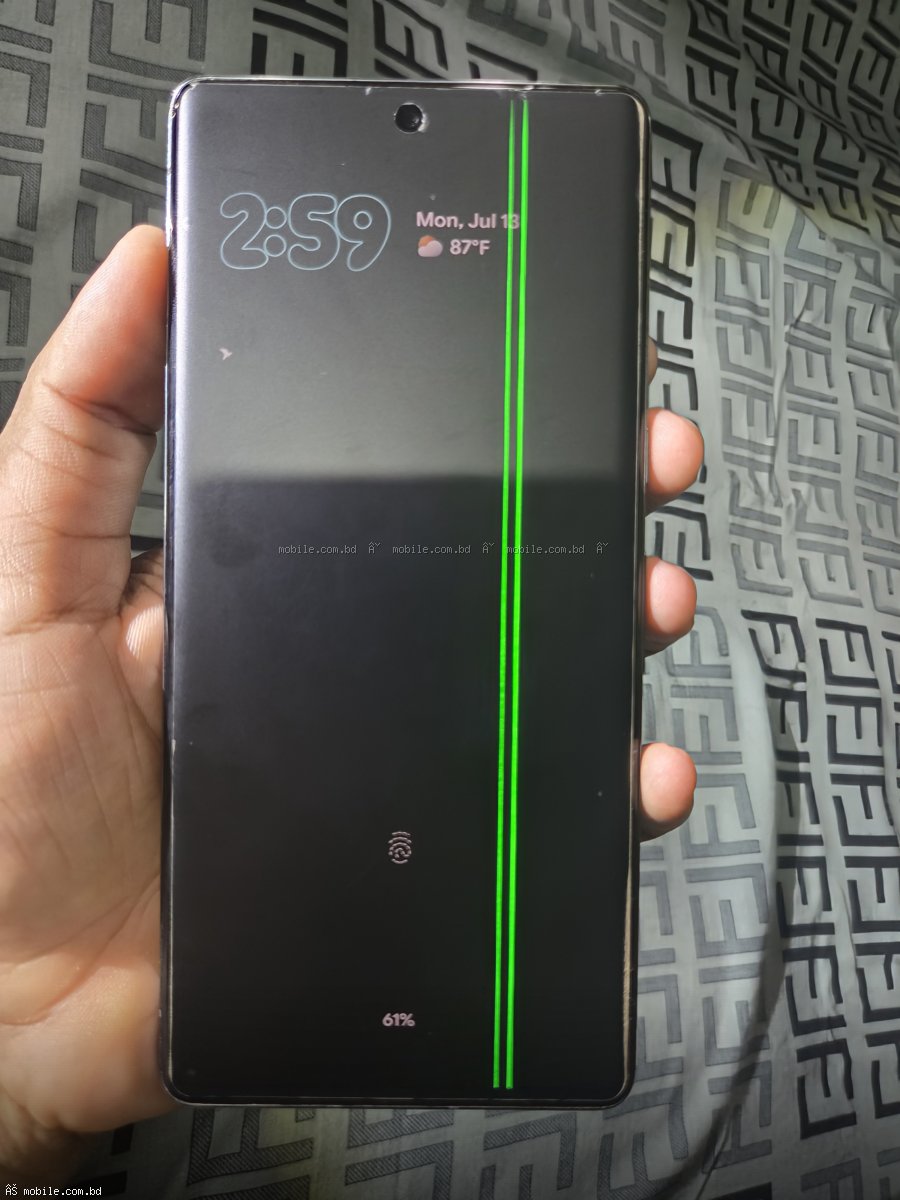
Green/pink line on display:
Vertical line (often green or pink). Caused by display ribbon cable issue (common on some OnePlus, Samsung models). Requires screen replacement. Sometimes caused by software update (temporary). If persists after restart, screen replacement needed.
Display tint (yellow or blue):
Uneven color across screen. Caused by manufacturing variation. More common on OLED displays. Some phones have option to adjust white balance. If severe, return for replacement (if new phone).
Cracked screen:
Most common damage. Tempered glass screen protector helps prevent. Official screen repair costs: 3,000-5,000 BDT (budget phone), 8,000-15,000 BDT (mid-range), 15,000-30,000 BDT (flagship iPhone/Samsung). Use case and screen protector always.
================================================================================
PART 12: FREQUENTLY ASKED QUESTIONS
================================================================================
Question: Is AMOLED always better than LCD?
Answer: For quality, yes. For budget and durability, LCD is fine. AMOLED offers better colors, contrast, and battery life with dark mode.
Question: How to check display quality before buying?
Answer: Look at white screen (check uniformity). Look at black screen (check for bright spots). View from angles (check color shift). Check brightness outdoors (if possible). Look for dead pixels (magnifying glass helps). Check for burn-in (older used phones).
Question: Does 120Hz drain battery significantly?
Answer: 10-15% more than 60Hz. Most phones with 120Hz offer auto-switching to 60Hz for static content. Worth the battery cost for smooth experience.
Question: Can I fix screen burn-in?
Answer: No. Burn-in is permanent. Some apps claim to fix (by cycling colors), but they don't work. Only solution is screen replacement.
Question: Which has better display - iPhone or Samsung?
Answer: Samsung supplies displays for iPhone. Both are excellent. Samsung S Ultra has higher peak brightness (2000+ nits) and 120Hz on all models (iPhones have 60Hz on non-Pro). iPhone Pro has better color accuracy and True Tone. Tie.
Question: What is PWM dimming? Is it bad?
Answer: PWM (Pulse Width Modulation) rapidly turns OLED pixels on/off to control brightness. Some people sensitive to flicker (eye strain, headaches). More common on OLED displays. Some manufacturers offer DC dimming (alternative). If sensitive to PWM, look for LCD or phones with DC dimming option.
================================================================================
FINAL VERDICT
================================================================================
For most buyers in 2026, look for these display specifications:
AMOLED display (or at least good quality LCD).
FHD+ resolution (1080 x 2400).
120Hz refresh rate (90Hz minimum).
800+ nits brightness (1000+ nits recommended).
Gorilla Glass Victus or newer protection.
Punch-hole cutout (center or corner).
Flat display (unless you specifically want curved).
Natural color mode (not vivid).
Best display on a budget (under 15,000 BDT): Realme C85 Pro (120Hz AMOLED, 800 nits). Samsung A06 (90Hz PLS LCD, good for price).
Best display overall: Samsung Galaxy S26 Ultra (QHD+ 120Hz LTPO AMOLED, 2000+ nits, 1-120Hz variable, Gorilla Glass Armor). iPhone 17 Pro Max (Super Retina XDR, 120Hz ProMotion, Ceramic Shield, excellent color accuracy). Google Pixel 8 Pro (QHD+ 120Hz LTPO OLED, 1600 nits, flat display).
Best value display: Samsung Galaxy A58 (FHD+ 120Hz Super AMOLED Plus, 1000 nits). OnePlus 13R (FHD+ 120Hz AMOLED, 1300 nits, flat).